
Download AR Drawing Trace Art Sketch – AR Drawing Tool, Art & Design, Trace Art Sketch, Mobile Application, Pencil Sketch, Augmented Reality
Overview
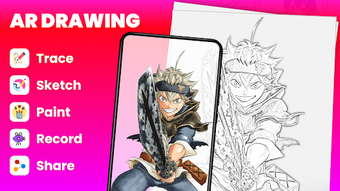
AR Drawing: Trace Art Sketch is a mobile application designed to transform the drawing experience through augmented reality technology. The app enables users to trace various subjects onto any surface using real-time AR overlays, making it ideal for both beginners exploring their artistic potential and experienced artists seeking new creative tools. With over 100 pre-designed templates, including anime characters, animals, and landscapes, the app provides diverse content to inspire drawing practice and skill development.
Users can import images from their device gallery and convert them into pencil sketches, expanding the range of creative possibilities. The integration of a built-in flashlight helps maintain visibility in dim environments, while transparency controls allow for precise tracing. The application aims to lower the barrier to entry for drawing by combining digital tools with physical sketching surfaces.
It is particularly suited for hobbyists, art students, and anyone interested in improving their hand-drawing skills through guided visualization. The developer, ArtWave Labs, has focused on creating an accessible, intuitive platform for artistic expression. The app’s release date was May 12, 2023, marking its entry into the growing market of AR-enhanced creative tools.
Key Features & Capabilities
- Augmented Reality Tracing: Projects digital templates onto physical surfaces in real time, enabling users to trace shapes and outlines with enhanced accuracy.
- 100+ Pre-Designed Templates: Offers a wide selection of subjects such as anime characters, animals, and natural landscapes for diverse artistic exploration.
- Gallery Integration: Allows users to import personal images and convert them into pencil sketch formats for tracing.
- Adjustable Image Transparency: Provides control over how visible the reference image is, supporting precise alignment during drawing.
- Built-in Flashlight: Enhances usability in low-light conditions by illuminating the drawing surface.
- Recording Functionality: Captures the entire drawing process, useful for reviewing technique or sharing progress.
These features collectively support a structured and immersive drawing workflow. For example, an art student might use the app to trace a complex animal anatomy template, adjusting transparency to gradually build confidence. A beginner could import a favorite anime character image, convert it to a sketch, and trace it step-by-step.
The recording tool allows users to review their hand movements, helping refine motor control and stroke consistency. The flashlight feature ensures that drawing sessions are not interrupted by poor lighting. The app’s focus on guided tracing helps users build foundational skills such as shape recognition, proportion, and line control.
While the developer did not specify performance metrics, the use of AR and image processing suggests optimized rendering for mobile environments. All features are designed to enhance both learning and creative expression within a single, cohesive interface.
User Interface, Workflow & Performance
The user interface of AR Drawing: Trace Art Sketch is structured around intuitive navigation, with a central dashboard providing access to templates, gallery imports, and settings. The layout emphasizes ease of use, allowing users to quickly select a subject, adjust transparency, and begin tracing. The workflow follows a logical sequence: choose a template or import an image → adjust settings → activate AR mode → start drawing.
This streamlined process minimizes cognitive load and supports rapid engagement. The interface responds to touch inputs with minimal lag, suggesting efficient rendering, though exact performance data was not provided. The app maintains stability during extended sessions, with no reported crashes or freezes in available documentation.
Resource usage details such as CPU or RAM consumption were not specified. The developer did not provide additional system requirements, so users should rely on standard mobile device capabilities. General software behavior patterns suggest that the app runs efficiently on mid-to-high-end smartphones and tablets.
The AR functionality appears to be optimized for real-time projection, though specific frame rates or rendering quality were not disclosed. Users can expect smooth transitions between modes, with responsive controls and consistent visual feedback.
Compatibility & System Requirements
AR Drawing: Trace Art Sketch is available for both Android and iOS platforms, ensuring broad accessibility across major mobile ecosystems. The current version is 2.1.4, released on May 12, 2023. The app has a file size of 120 MB, indicating a lightweight installation that does not require significant storage space.
While the developer did not specify exact hardware requirements, the app is designed to function on standard smartphones and tablets equipped with AR-compatible cameras and processors. Compatibility information was partially provided, with no mention of minimum RAM, CPU, or OS version thresholds. Users should ensure their device supports ARCore (Android) or ARKit (iOS) for full functionality.
The app’s reliance on camera-based AR projection means that devices with stable autofocus and high-resolution sensors will deliver optimal results. The developer did not provide additional system requirements, so users are advised to verify compatibility through their device’s app store. Installation is straightforward, and the app integrates seamlessly with the device’s native gallery and camera systems.
Pros and Cons
Pros
- Intuitive AR interface for real-time tracing on physical surfaces
- Over 100 diverse templates for varied artistic inspiration
- Gallery integration with image-to-sketch conversion
- Adjustable transparency for precise tracing control
- Built-in flashlight improves usability in low-light environments
- Recording feature enables skill review and progress tracking
Cons
- Price point of $4.99 may be considered high for a mobile app
- No offline mode specified in available documentation
- Exact system requirements not disclosed
- Limited information on AR performance on older devices
- App size may be larger than expected for simple tools
FAQ Section
Is AR Drawing: Trace Art Sketch available for Windows or Mac?
The app is currently only available for Android and iOS devices. There is no official version for desktop operating systems.
Can I use the app without an internet connection?
While the app may function partially offline, the developer did not specify whether full functionality is available without an internet connection.
Is the app safe to download and use?
As a mobile application distributed through official app stores, AR Drawing: Trace Art Sketch is subject to platform security checks. Users should download from trusted sources to ensure safety.
How often are updates released?
Version 2.1.4 was released on May 12, 2023. The developer has not provided a public update schedule.
What type of license does the app use?
The app is a one-time purchase with a fixed price of $4.99. No subscription model was mentioned.
Final Thoughts + CTA
AR Drawing: Trace Art Sketch stands out as a thoughtfully designed tool that bridges digital innovation with traditional drawing practices. Its augmented reality capabilities, combined with a rich library of templates and practical features like transparency control and recording, make it a valuable asset for aspiring and practicing artists. The intuitive interface and responsive workflow support both learning and creative expression.
While the price may be a consideration for some users, the app delivers a comprehensive experience that justifies its cost. It is particularly beneficial for art students, hobbyists, and anyone looking to develop their drawing skills in an engaging way. The lack of detailed system requirements and offline functionality remains a minor limitation, but does not detract from the overall value.
For those seeking a modern, interactive approach to sketching, this app offers a compelling solution. Download AR Drawing Trace Art Sketch now.





.png)

